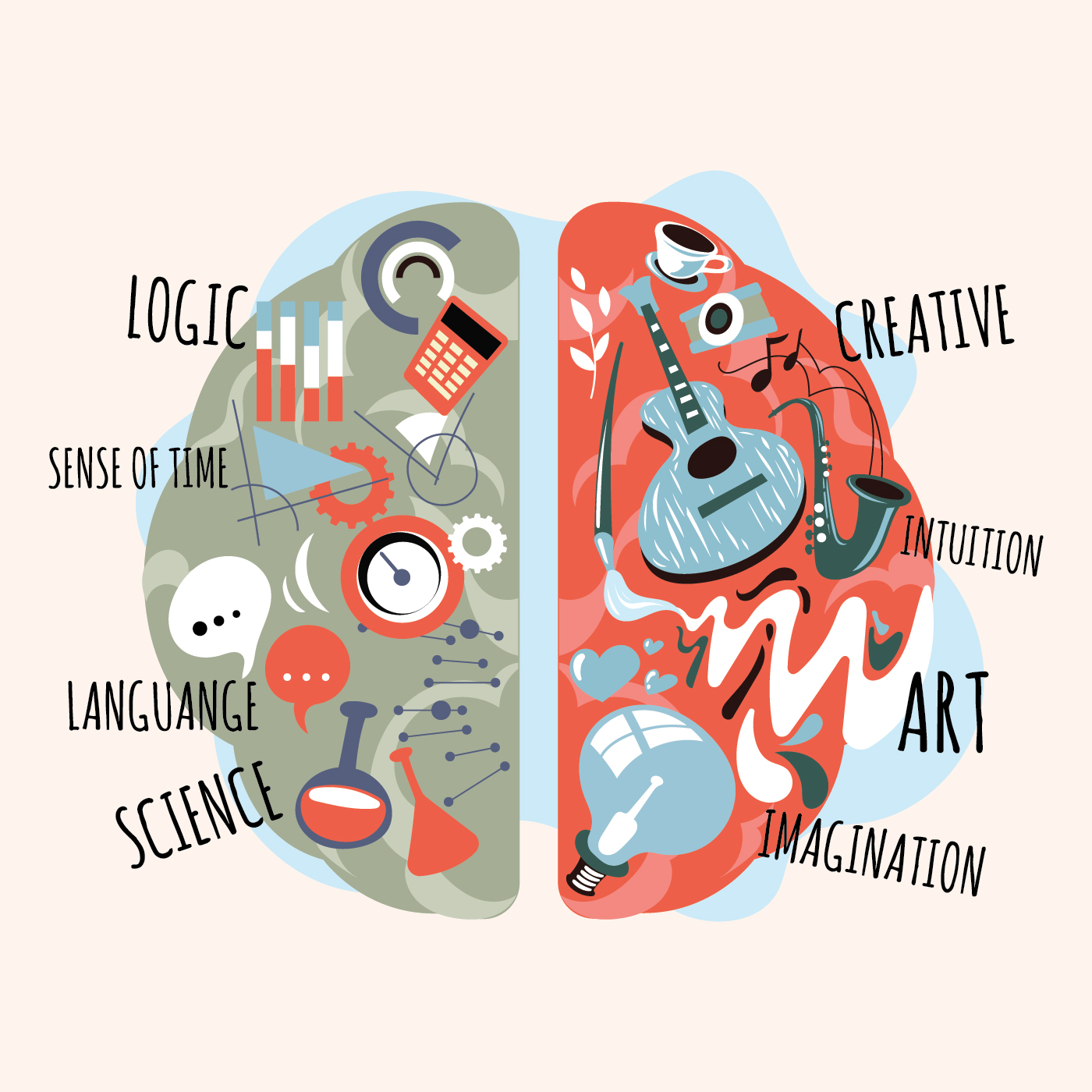
From very early on in my childhood being a teacher is all I wanted to be, so when I had to choose a major in college there was never any hesitation. It was an issue for some of my friends though. They were deciding between business, communications, some were even throwing around the idea of economics. It was a process that I was glad I never really had to be participate in, but could sympathize with. It’s the friends that chose engineering, physics and computer science that I couldn’t relate with. My brain just didn’t work that way. Or so I thought.
My school is trying to ensure that coding is a regular special that our students are experiencing. When I first heard this I felt was panicked. Coding was never something I learned in school nor had any exposure to in undergrad, so having to teach it to a classroom full of kids felt intimidating. When the opportunity came up to learn more about coding I was eager to learn and figure out a way I was going to teach it in my classroom.

I make sense of coding as a series of steps that leads to an outcome. I know that it gets more complicated than that, but when all is said and done that’s what it is. So why not present it to kids that way? Introduce it to something they can relate to and do! This is what inspired my first future coding lesson of the year.
I don’t want students to be intimidated when they hear coding, but I do want them to learn the skill. For me, whenever I’m thinking of lessons I plan for my 5th grade students. But for the purposes for this lesson I think it could be modified to all grade levels. When introducing them to what coding is I’m going to write code for each other. Leaving computers out of it, their task is to write a set of instructions for each other. The catch is there will be no room for interpretation. They are plugging their robot circuits in and only allowed to do what is written on the page. When designing the lesson I had to rely on my TPACK guide to make sure all important areas were being hit.
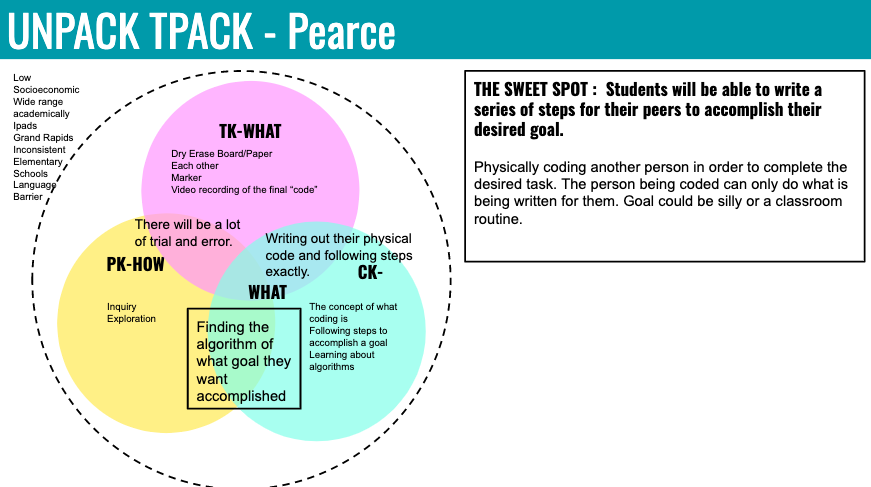
This plan did not come easy. It was like my brain heard the word coding and I tried to make it super fancy and over complicated. The result was a frustrated teacher who required a lot of thinking time and chocolate to get back on track. I realized that it was so hard because my content circle in my TPACK diagram was completely blank. I didn’t know what I wanted them to know! So I thought a reoccurring problem in my class, the phrase “I don’t know what to do.” If they had a series of steps to follow they could more clearly identify what they are trying to figure out and what part they don’t understand. That’s when it clicked. Coding is all about a series of steps, and one something doesn’t work the whole code gets broken. It’s up to the programmers to diagnose and debug to make a successful code, just like the process of learning.
Wanting to make sure that content, pedagogy and technology elements were being addressed, the three ring diagram of TPACK is my best friend. Determining what I want my students to learn is generally my first circle. In this lesson I wanted them to be introduced to coding, but more than that I wanted them to understand that by following a series of steps of a process that will ultimately leads to your overall understanding (Bransford, J. D., Cocking, R. R., & Brown, A. L. (2000)), otherwise known as algorithms. Next, came the technology. Usually I overthink this trying to get fancy with tech tools. But for this lesson it seemed more beneficial to keep it simple. The whole idea is taking a complicated concept and simplifying it, so our tools for this lesson are primarily pencil, paper and each other. If a recording of everyone’s code is wanted then that could be used, but it is not crucial for the learning. Lastly, how do I want them to learn this? I wanted them to be able to construct, reflect and revise. Not only being able to do the project by themselves, but collaborating with others to recognize why their project doesn’t work and what makes it successful. This idea of playing and making leads to discovery and learning (Resnick, M. (2018))! Keeping content, technology and pedagogy is mind this literal coding activity hits the TPACK sweet spot.
Since this was a new lesson to me in every way, content and skill, I needed to test it out. Now I will admit I got a little cocky. I planned for students to construct a letter, shape or number, I felt as an adult I could try and code a name no problem. Well, it turns out this was much harder than anticipated. In my lesson I also wrote my instructions out for the coding process with pencil and paper. There are several ways to adapt this as well. If students want to dictate their steps using ipads they can do that easily using Google Docs or the Notes app, among several others. Another adjustment that could be made is having students listen to the instruction using the text to speech function on the ipad.
By far my biggest take away from the process is, don’t over complicate. Yes, the world is full of fantastic technology that should be explored, but first become knowledgable on the technology you want to teach with. Don’t just try and use it because it’s flashy. I lost the point of what I was creating for. Somedays an Ipad and a green screen may be the best tool to teach with. Others your technology tool may be as simple as a pencil, paper and students’ imagination because they are pretending to be robots.
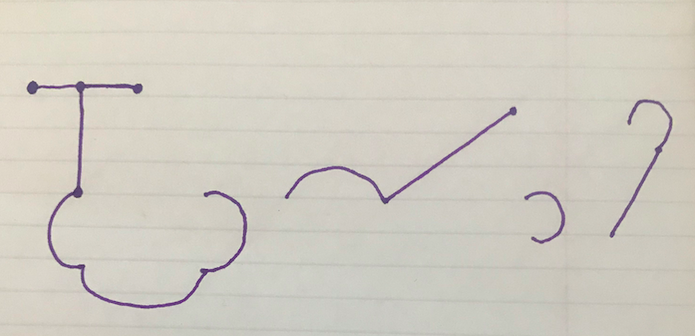
First round of coding 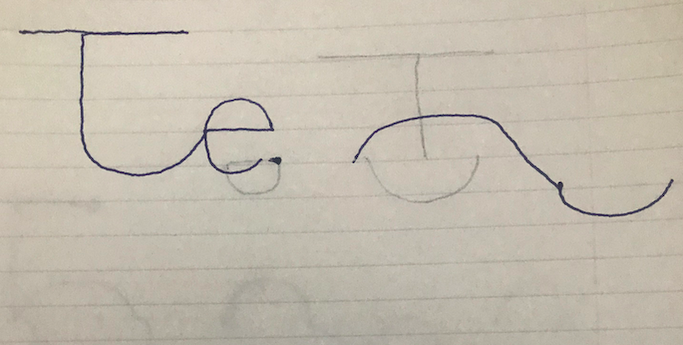
2nd round of coding after debugging 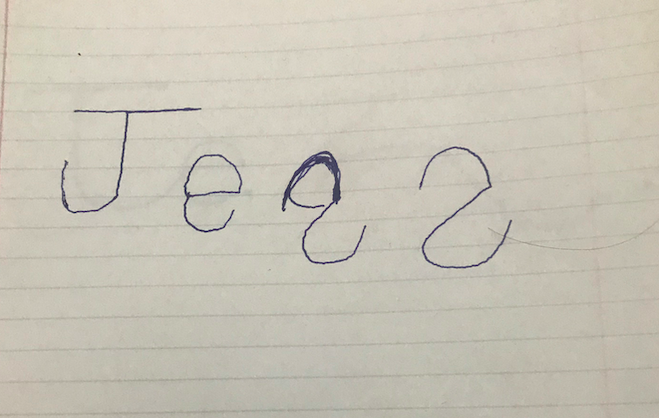
3rd round of coding after second debugging
The teaching profession not only requires educating the youth the required curriculum, but also showing them the potential they have inside. It means that it’s not that a student can’t do something, just they don’t understand it yet. It’s the hope that this lesson can help show students that engineering or computer science doesn’t have to be a scary concept only intended for “the smart kids.” By connecting it to something kids can relate to and then continuing to come back to it helps show them they are capable of more than they know.
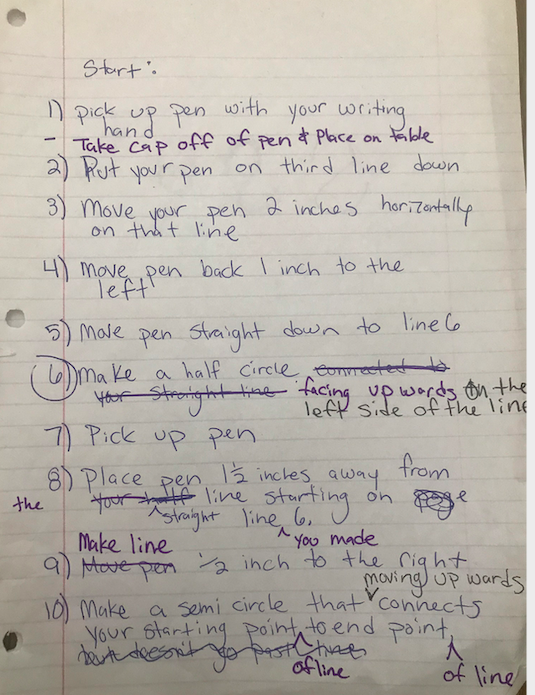
Look at what coding can look like! Each color represents a different round of debugging. Started with blue, then purple finally ending with black.
Do you want to try this lesson in your class? Click the button to see how to incorporate a lesson like this in your classroom!
References
Bransford, J. D., Cocking, R. R., & Brown, A. L. (2000). How People Learn: Brain, Mind, Experience, and School. Expanded Edition. National Academies Press.Edition. National Academies Press.
Resnick, M., & Robinson, K. (2018). Lifelong kindergarten cultivating creativity through projects, passion, peers, and play. Cambridge, MA: The MIT Press.

 More than Colored Pencils and Crayons